LTM quickstart
You need a Turing API Key for the current project, a compatible embedding model, and an available LLM family.
1. Set environment variables
export TURING_BASE_URL="https://live-turing.cn.llm.tcljd.com/api/v1"
export TURING_API_KEY="<your-api-key>"
TURING_BASE_URL must include /api/v1. Replace it with the matching environment URL for testing.
2. Discover models and create a Space
curl "$TURING_BASE_URL/ltm/families" \
  -H "Authorization: Bearer $TURING_API_KEY"

curl "$TURING_BASE_URL/ltm/spaces" \
  -H "Authorization: Bearer $TURING_API_KEY" \
  -H "Content-Type: application/json" \
  -d '{
    "name": "customer-support",
    "description": "Support conversations",
    "embedding_model": "<embedding-model>",
    "model_profile": {"default": "<llm-family>"}
  }'
Save data.space_id from the response. The embedding model cannot be changed after creation.
3. Write an Event
export SPACE_ID="<space-id>"

curl "$TURING_BASE_URL/ltm/spaces/$SPACE_ID/events" \
  -H "Authorization: Bearer $TURING_API_KEY" \
  -H "Content-Type: application/json" \
  -H "Idempotency-Key: quickstart-20260912-01" \
  -d '{
    "owner_type": "actor",
    "actor_id": "user-123",
    "session_id": "quickstart-session",
    "messages": [
      {"role": "user", "content": "I prefer Chinese."},
      {"role": "assistant", "content": "Got it."}
    ]
  }'
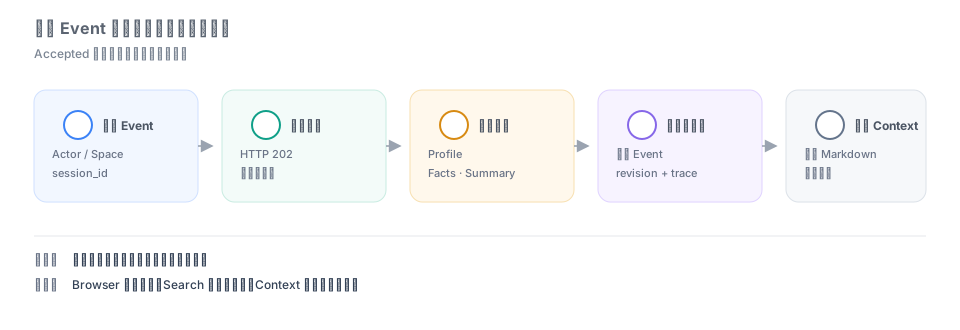
The successful response is 202 with data.status = "accepted". Wait for asynchronous processing before reading derived records.
4. Read context
curl "$TURING_BASE_URL/ltm/spaces/$SPACE_ID/context?actor_id=user-123&token_budget=2000" \
  -H "Authorization: Bearer $TURING_API_KEY"
Use Search LTM memories for semantic retrieval and List derived LTM memories to browse records.